9 min read
EXPLAINER / Event Production
What Is Event Video Production?
Event video production is the planning, preparation and live operation of the visual content and video systems needed for an event. It can bring together presentations, playback, live cameras, graphics, switching and the feeds sent to audience screens, presenter displays or other agreed destinations. The term can also refer to filming an event, so the required services must be clarified. Recording, live streaming and content creation are not automatically included in a live-screen requirement.
On this page
Plan what each person needs to see, then connect the content, systems and people that deliver it.
Start with what people need to see
At one moment in a conference, the audience may need a slide. A few minutes later, it may need a film or a close view of a demonstration. The presenter may need notes or timing information that the audience should not receive.
Those are different viewing requirements. The production work is to prepare and operate the arrangement that delivers the right material to the intended destination at the relevant moment.
A screen being installed does not establish what it will show or who will control it.
Begin with the people, content and programme. Equipment choices follow that requirement, as they do in live event production more broadly.
A file, a source and a destination are different things
A presentation file or film is content. The device or software playing it supplies a source to the prepared system. A live camera supplies another possible source. A destination is where an agreed view needs to arrive, such as an audience screen or presenter-facing display.
The source visible to an operator is not necessarily the picture currently being delivered to the audience. Previewing a proposed picture and selecting the outgoing programme are different functions. “Programme” here means the selected outgoing visual feed; it is not the event's written agenda. Labels and available functions vary between systems.
For a concrete manufacturer example, Roland's V-160HD documentation identifies camera and computer inputs, programme and preview functions, and separately assignable outputs. That demonstrates possible functions, not a requirement to hire that product or an assurance that every switcher offers the same capabilities.
What work can the video scope include?
Clarify whether the supplier is expected to prepare playback, receive presentation sources, provide cameras, create graphics, select pictures, supply displays or operate the relevant system. Several functions may share equipment or people; the agreed scope still needs to identify them.
Content creation and content operation are different commitments. Receiving a slide deck does not mean the supplier has agreed to redesign it, approve its wording or supply an edited film. Similarly, providing a screen does not automatically appoint an operator for the show.
The organiser or designated content owner approves what may be shown. Technical teams prepare and check delivery within their scope. The people coordinating the programme and cues need the current versions, control responsibilities and readiness information. Use Technical Direction for the integration function and its limits.
Selection, processing and display work together
Switching selects or transitions between prepared sources. Processing may adapt or combine pictures for the required output. A display then presents the delivered view. These are functions, not a mandatory list of separate boxes.
Source format, output format and image shape need attention. For example, the Extron IN1604 user guide distinguishes filling an output from preserving the input's aspect ratio. That is a specific product example of why an arriving picture and its displayed shape need checking. No operating settings from that manual are prescribed here.
Describe the material and viewing requirement to the responsible video team. Agree how it will be presented instead of assuming that making it fill a screen preserves the intended image. This explainer does not choose LED over projection or prescribe resolution, screen size, cable distance or signal-conversion hardware.
Different destinations can need different views
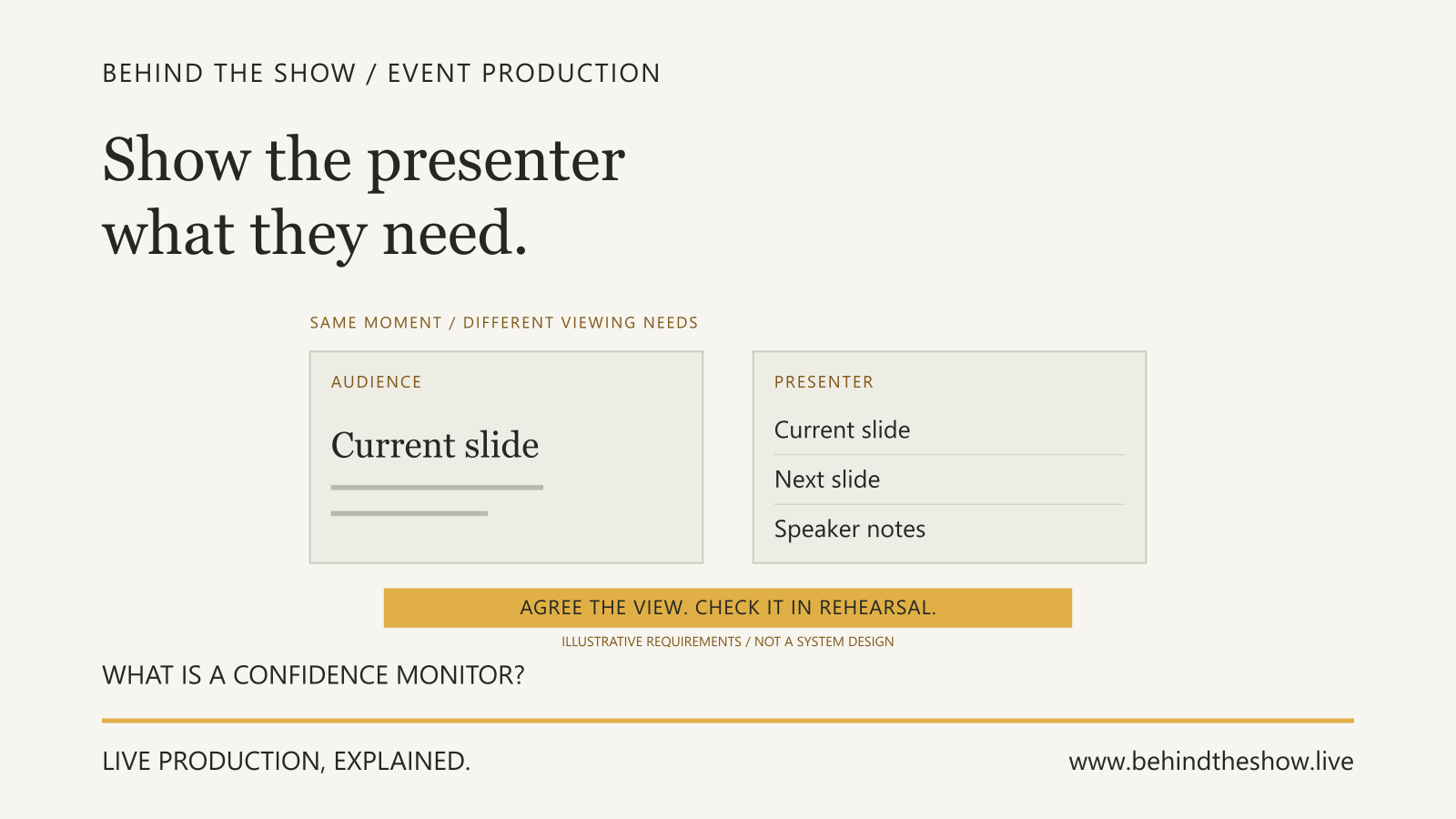
An audience display and a presenter display can serve different purposes. Microsoft's Presenter View guidance describes a view containing the current slide, next slide and speaker notes. It is a software capability, not a feature provided by every display or video feed.
The Confidence Monitor explainer develops the presenter-facing requirement. Agree the actual view, its operation and where it can be seen. Check that private notes or operator information do not appear at an unintended destination.
If recording or streaming is commissioned, brief those outputs separately. Their pictures and sound may differ from what the room receives. Recording and Live Streaming Requirements explains those service and acceptance distinctions. The presence of cameras, screens or a streaming-capable device does not establish that those services are included or ready.
Teaching diagram: sources are not the finished views
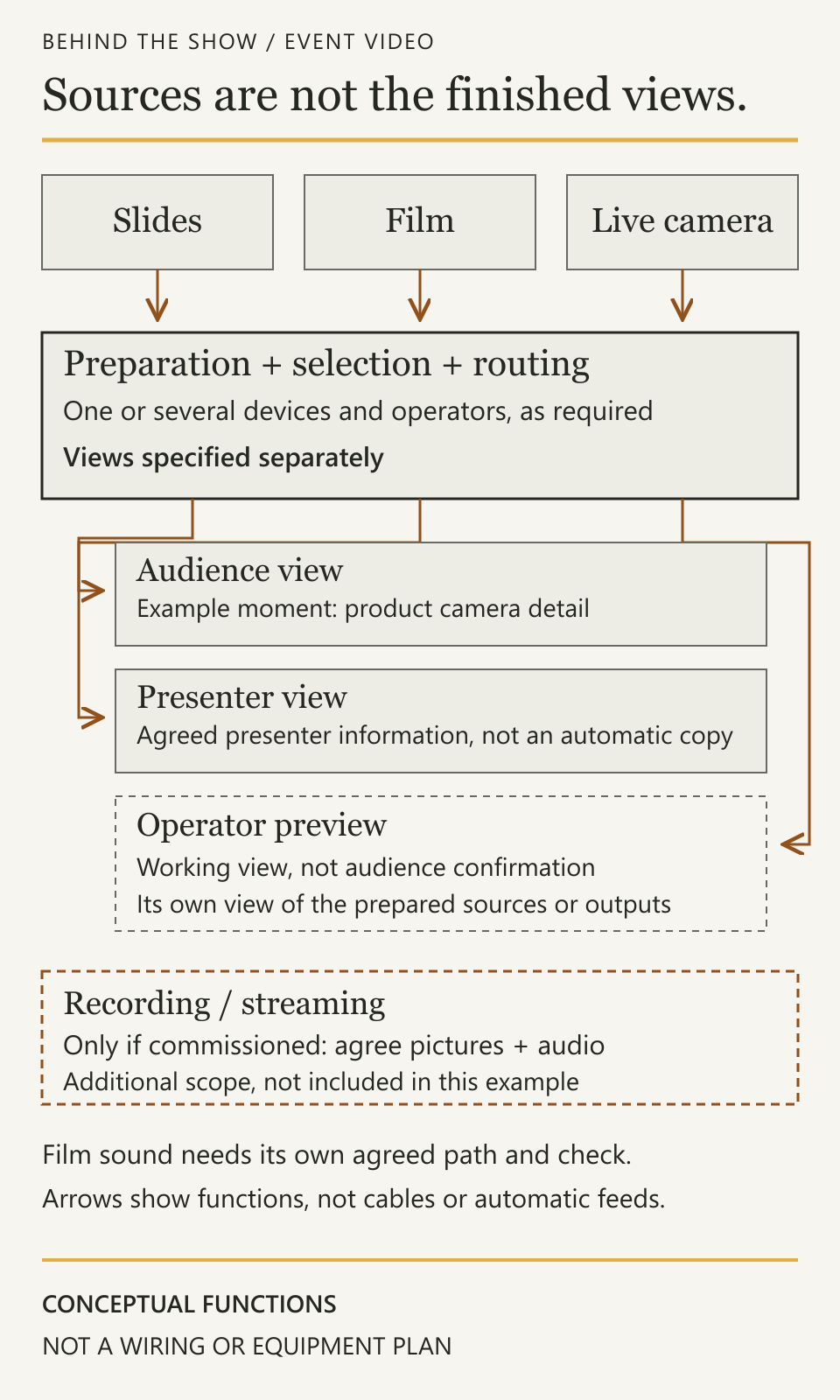
Read the diagram as functional relationships. Slides, a film and a live camera are possible sources. Preparation, selection and routing deliver separately specified views to the audience and presenter. The operator's preview is a working view, not proof of either receiving result. Recording or streaming appears only as a separately commissioned destination, with its own agreed pictures and audio. The drawing is not a wiring plan or a promise that one device supplies every function.
Worked example: slides, a film and a live demonstration
A fictional product presentation has three stages: the presenter uses slides, a short film introduces the product, and a live camera shows a small demonstration on the audience screen. The presenter also needs an agreed presenter-facing view. Recording and streaming are outside this example's commissioned scope.
The organiser has approved the current slide deck and film. The production team has agreed who advances slides, starts the film, selects the camera picture and gives the relevant cues. The audio team owns the required film-sound delivery. The video team owns its agreed source, control and display functions; neither department assumes that the other has checked the complete film sequence.
First attempt: the sources are present, but the sequence is not ready
| Programme moment | What has actually been observed | What remains to be established |
|---|---|---|
| Slides | The current audience slide is visible on the intended room screen. | The presenter-facing view and the transitions into the next material still need their agreed checks. |
| Film | The approved film opens and its picture is visible on the operator's preview. | The intended audience picture and film sound have not been confirmed through the actual playback transition. |
| Demonstration | The camera picture is visible at the operator's position. | The required product detail has not been confirmed on the audience screen or from the agreed review positions. |
The team does not treat three available sources as a completed production. It needs to establish what reaches the receiving destinations during the intended sequence. The camera preview alone cannot establish what the audience can see, and opening a film does not confirm its sound in the room.
Agree the control and receiving checks
For this example, the presenter advances the agreed slides, the playback operator starts the separate film on the agreed cue, and the assigned video operator selects the demonstration picture. The show caller coordinates those cue instructions within the event's agreed authority. This allocation is illustrative; a smaller or different production may combine or divide the functions differently.
The relevant people try the transition from slides into the film, the film's ending and the move into the live demonstration. Video and audio check the affected audience picture and sound together. The presenter checks the agreed viewing information through the relevant transitions. The demonstration is tried using the intended object, camera view and audience display, rather than accepting an unrelated camera test image.
Checking a control-room preview is useful evidence about that point, but it does not replace checking the intended audience or presenter result. The responsible technical teams determine suitable test methods and conditions. This is not a connection diagram, camera-setting recipe or instruction to run disruptive tests while an audience is present.
Second attempt: one source is still not accepted for use
The slides and film now reach their agreed destinations, including the film's room sound. The presenter confirms the agreed information remains usable. The demonstration picture reaches the audience screen, but the required product detail cannot yet be distinguished at the agreed review position.
Keep the demonstration requirement open. The observation does not, by itself, prove that the camera, lens, display or connection is faulty. The responsible team reviews the framing, content, viewing conditions and possible responses before proposing a change. Any response affecting the demonstration, stage action or programme needs the relevant agreement; technical availability alone does not approve a new presentation format.
For this fictional event, the team agrees a revised demonstration view, checks its receiving result and repeats the affected transition. The agreed reviewer confirms that the required detail can now be followed at the checked position. The current cue and source references identify that arrangement. This closes the defined result under those conditions, not every audience position, future change or uncommissioned recording output.
Carry the accepted arrangement into operation
Record the approved files, source identities, intended views, control actions, cue references, receiving results and any limitations. If the film, slide file, camera arrangement or display changes later, identify which results and transitions need another check. Do not carry acceptance of the earlier arrangement across the change by assumption.
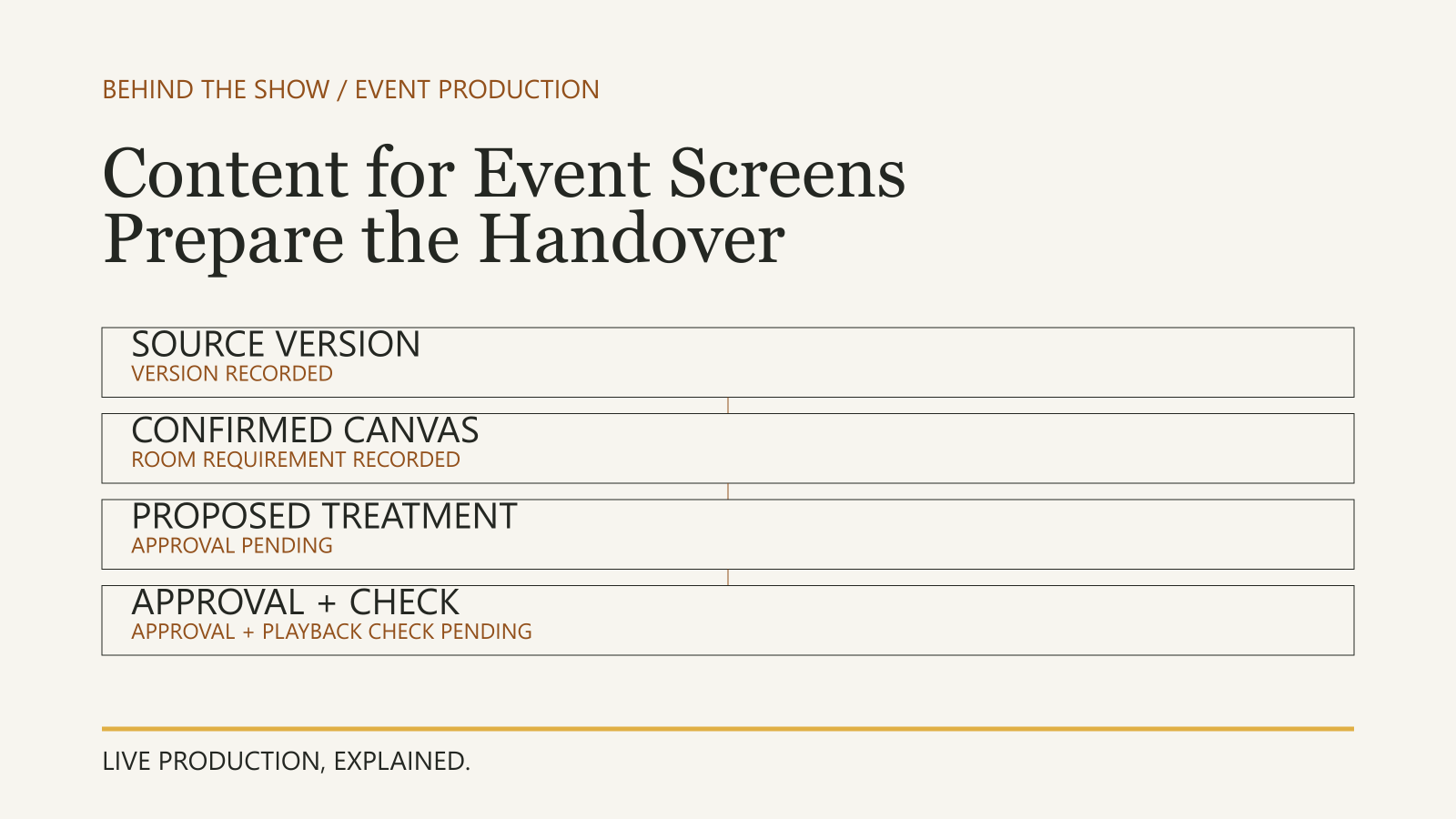
The Content Handover guide explains current files and version decisions. Use Rehearsal to practise the programme exchanges with the relevant people. Neither a completed upload nor an equipment inventory replaces that work.
ILLUSTRATIVE SCENARIO
What should go into the production brief?
Describe what will be shown, who needs each view and when it changes. Identify presentations, films, graphics, camera coverage or remote contributions where required. Explain presenter-view needs, viewing areas, expected operators, control actions and any separately commissioned outputs. Mark unknown information to be confirmed.
Provide the current programme and relevant venue information. Allow for preparation, agreed receiving checks and rehearsal in the schedule. Ask the supplier to identify assumptions, exclusions and any information it still needs; “video included” is not an adequate scope description.
For remote contributors, specify the exchange in both directions through the Remote Presenter Participation guide. A successful incoming picture does not establish the remote participant's return view or sound.
What does a useful video-production plan leave clear?
It connects approved material and live sources to the people receiving each view, identifies who controls each change and keeps the current arrangement understandable to the operators. It also identifies what is excluded and what remains unresolved.
Plan the receiving view, not only the source list.
The video plan sits inside the wider production. Its checks do not replace venue permissions, specialist approvals, overall readiness decisions or the authority to publish a recording or start a stream.
Related questions
What is event video production?
The planning, preparation and live operation of visual content and video systems for an event, connecting sources to agreed viewing destinations. Clarify whether filming, recording, streaming or content creation is included.
Does screen hire include content creation and a video operator?
Not automatically. Agree display supply, content preparation, playback, control, operation and any creative work separately in the supplier scope.
Does every event video system need live cameras?
No. A presentation-only requirement may not need live camera coverage. Choose the sources and functions against the programme and receiving views rather than assuming a camera package.
Does an operator's video preview prove the audience view is ready?
No. It establishes a result at that preview point. Check the intended receiving display, required content and affected transitions; coordinate any required sound checks with the responsible audio team.
Is event video production the same as filming an event?
The phrase is used in different ways. In this explainer it means live visual delivery; filming captures pictures, while recording, editing and streaming require their own agreed services and outputs. Confirm the intended scope.
Should room screens and a live stream show the same content?
Not necessarily. People in the venue may see the stage directly while online viewers need camera pictures, slides or other agreed material. Specify what each destination includes and excludes.
Does a confidence monitor automatically show speaker notes?
No. Notes must be present in the current content and included in a suitable presenter feed. Copying an audience slide output does not add notes, and private presenter information should be checked against each intended destination.
Who advances slides and starts videos during a presentation?
Agree the responsibility for each action. A presenter may advance slides while an operator starts separate playback on an agreed cue. Receiving the files or holding a presentation remote does not establish who controls every action.
Sources & references
- V-160HD Streaming Video SwitcherRoland / manufacturer
- IN1604 DTP and IN1604 HD Scalers User GuideExtron / manufacturer
- Use Presenter View in PowerPointMicrosoft / manufacturer
Continue learning