10 min read
GUIDE / Production Management
How to Plan Event Registration and Attendee Arrival
Plan event registration and attendee arrival as one connected journey. Confirm who is expected, what information is genuinely needed, when people are likely to arrive, where they enter, how they check in, how access requirements and exceptions are handled, and who receives them after registration. Match the process to the venue, audience and programme, protect personal information, test the working arrangement and keep a clear route for resolving arrivals that do not match the expected record.
On this page
A practical method for connecting attendee information, arrival flow, accessible check-in, exceptions and event entry without confusing registration with wider venue approval.
In Brief
Registration is not only a form or a desk. It connects information collected before the event with what happens when a person reaches the venue.
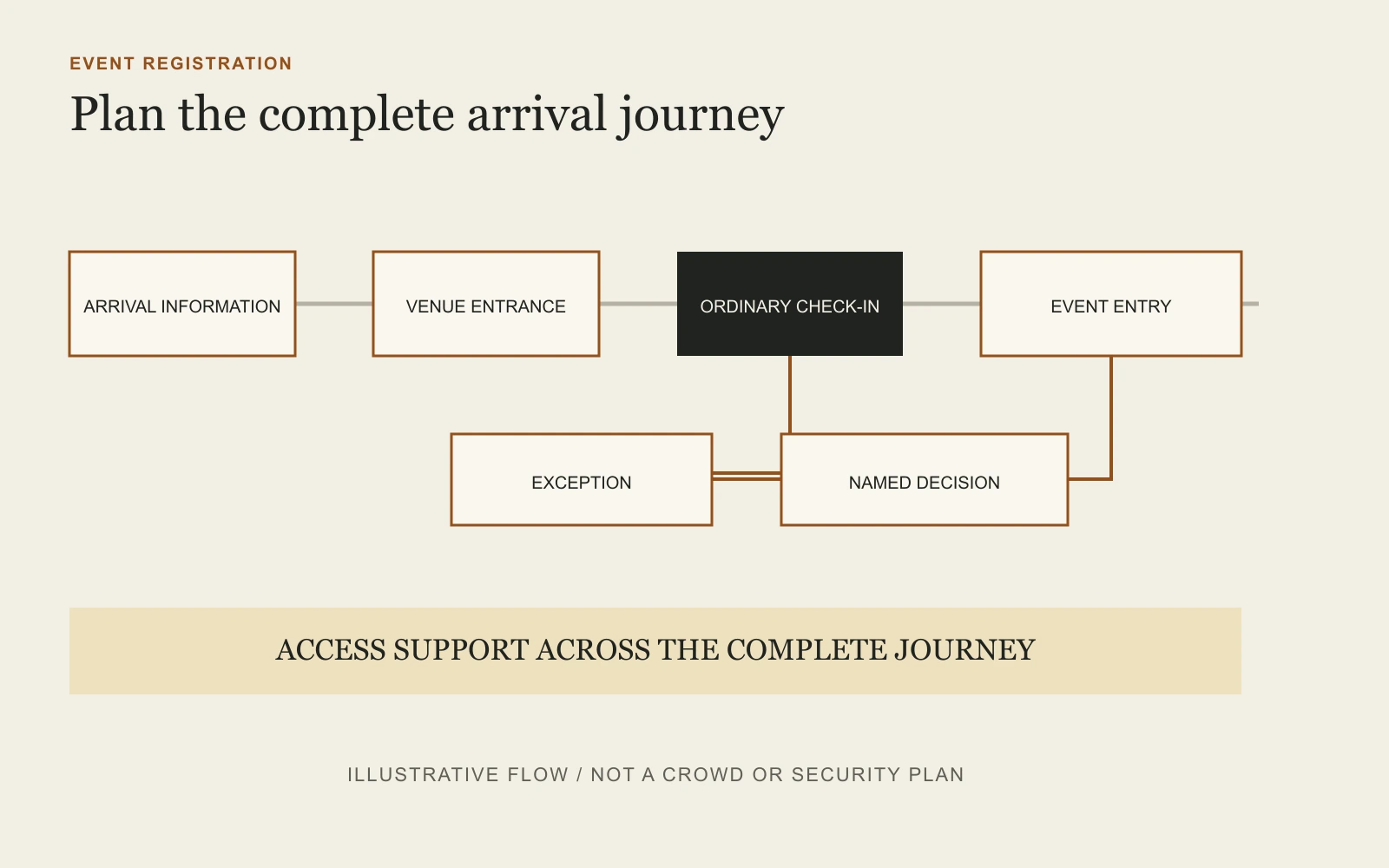
A strong plan helps attendees understand where to go, gives the registration team a current record, provides a separate route for exceptions and hands checked-in attendees into the event without creating avoidable congestion or uncertainty.
Start With the Event Requirement
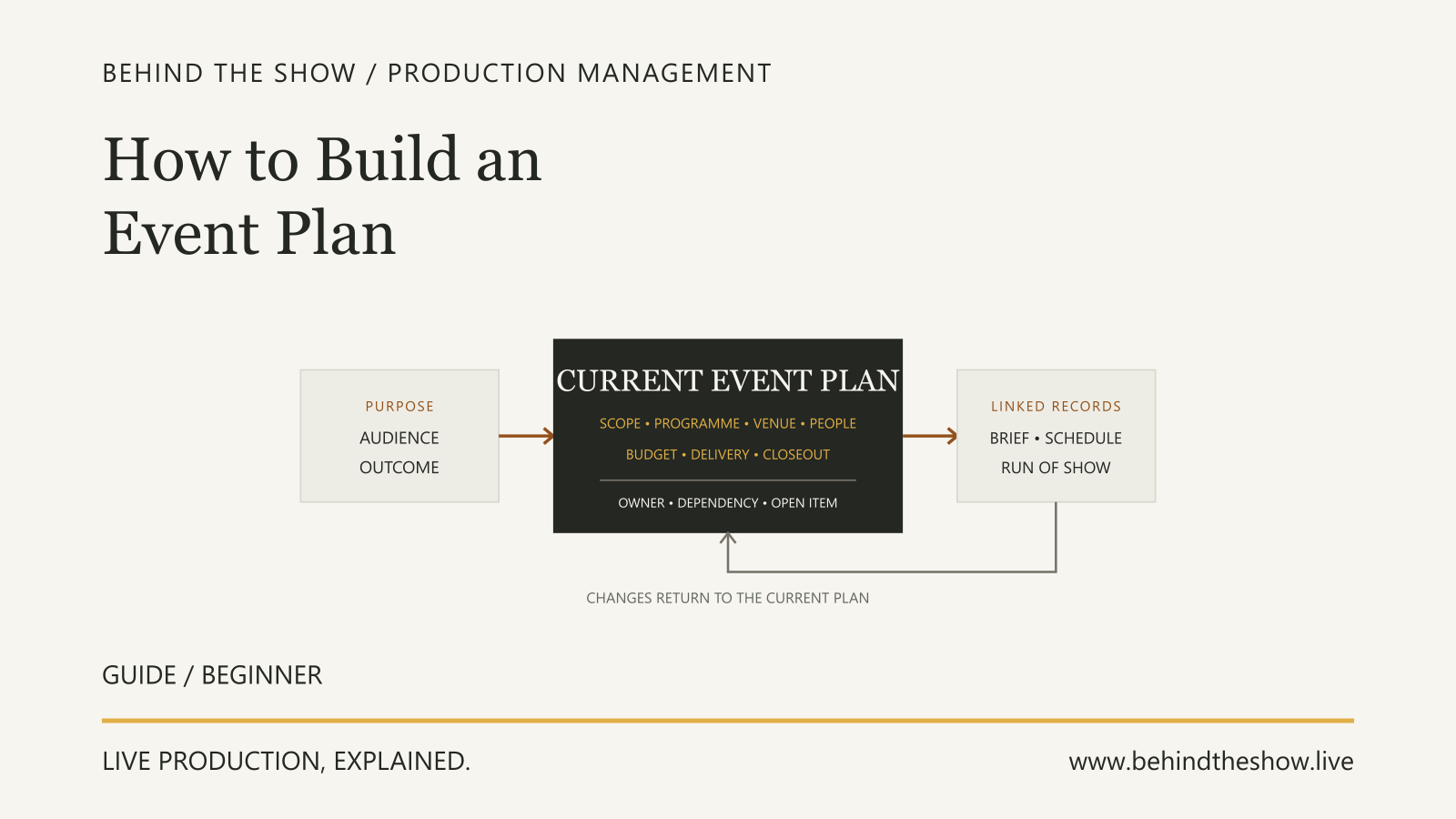
Use the current Event Plan to establish:
- the purpose and format of the event;
- expected attendance and audience profile;
- invitations, tickets or other admission conditions;
- event dates, arrival periods and programme start;
- venue entrances and public routes;
- accessibility and communication requirements;
- identity, payment, consent or credential checks that are genuinely required;
- audience information that must be available before arrival;
- who owns registration decisions and personal information;
- what happens when the expected record and actual arrival differ.
Do not begin with the software. Begin with the attendee journey and the decisions the event actually needs to make.
Decide What Registration Must Achieve
Different events use registration for different purposes.
It may need to:
- confirm an invitation or ticket;
- record attendance;
- issue a badge or credential;
- identify a booked session or access entitlement;
- collect an approved payment;
- direct an attendee to the correct room or activity;
- identify an agreed support requirement;
- provide current event information.
Write those purposes down. A field, check or queue should not exist merely because a previous event used it.
Collect Only the Information the Event Needs
Define why each item is collected, who can use it, where it is held and when it will be removed or anonymised.
Names, contact details, payment records, photographs, identification information, dietary information and access requirements can carry different privacy and sensitivity implications. The exact obligations depend on the applicable law, organisation and event.
Use the minimum information needed for the stated purpose. Explain the processing at collection, restrict access to the people who need it and use the organisation's approved privacy, retention and security arrangements. Do not expose private details on a public badge, shared screen or printed list merely because they exist in the registration record.
Make Registration Usable Before the Event
The digital or assisted registration route should not create an avoidable barrier.
Use clear labels and instructions. Make errors understandable and correctable. Check keyboard use and ordinary screen-reader interaction for online forms. Provide a contact or alternative registration route when one channel cannot meet an attendee's needs.
Ask what support an attendee requires rather than assuming it from a diagnosis or label. Explain how the person can discuss a requirement privately where necessary.
Give Attendees Practical Arrival Information
Before the event, communicate the information people need to reach the correct place.
That can include:
- venue name and exact entrance;
- public transport, parking and drop-off information;
- step-free route and accessible entrance;
- opening and recommended arrival times;
- identification, ticket or confirmation requirements;
- security or bag conditions communicated by the responsible authority;
- who to contact if assistance is needed;
- what happens after check-in;
- known changes or limitations.
Do not tell every attendee simply to arrive at the venue's main entrance if the event uses another door.
Estimate the Arrival Pattern
Total attendance does not describe the entrance demand.
Review when people are likely to arrive and what may concentrate them into a short period. Consider programme start, transport arrivals, group travel, ticket conditions, nearby events, weather exposure and the effect of security, payment, badge printing or other checks.
Registrations and ticket sales are useful inputs, not proof of actual turnout. Work with the venue and the people responsible for security or crowd management where the arrival pattern can affect safe entry and circulation.
Design the Arrival Journey
Walk the route from transport or drop-off to the first event destination.
Check:
- the correct entrance is easy to identify;
- signs and staff appear before people must choose a direction;
- queues do not obstruct accessible routes, exits, vehicle routes or unrelated venue users;
- attendees can leave a queue safely;
- registration furniture and temporary equipment fit the permitted space;
- the check-in position supports the required privacy;
- badges, materials and information can be handed over without blocking the next person;
- checked-in attendees know where to go next;
- the route still works when an exception needs more time.
The venue-comparison guide helps test the wider audience journey before commitment. The detailed arrangement still belongs with the venue and responsible specialists.
Separate the Main Flow From Exceptions
Do not make every attendee wait while one unusual case is investigated.
Define an exception route for matters such as:
- a missing or duplicate record;
- an unapproved walk-in;
- a payment or ticket discrepancy;
- an incorrect badge or organisation;
- an access requirement not visible to the desk team;
- an attendee at the wrong entrance or event;
- a credential that requires another person's approval.
The exception team needs a named decision route. Registration staff should not invent admission, refund, data or credential policy at the desk.
Plan Accessibility Across the Complete Route
Accessibility begins before the form and continues beyond the desk.
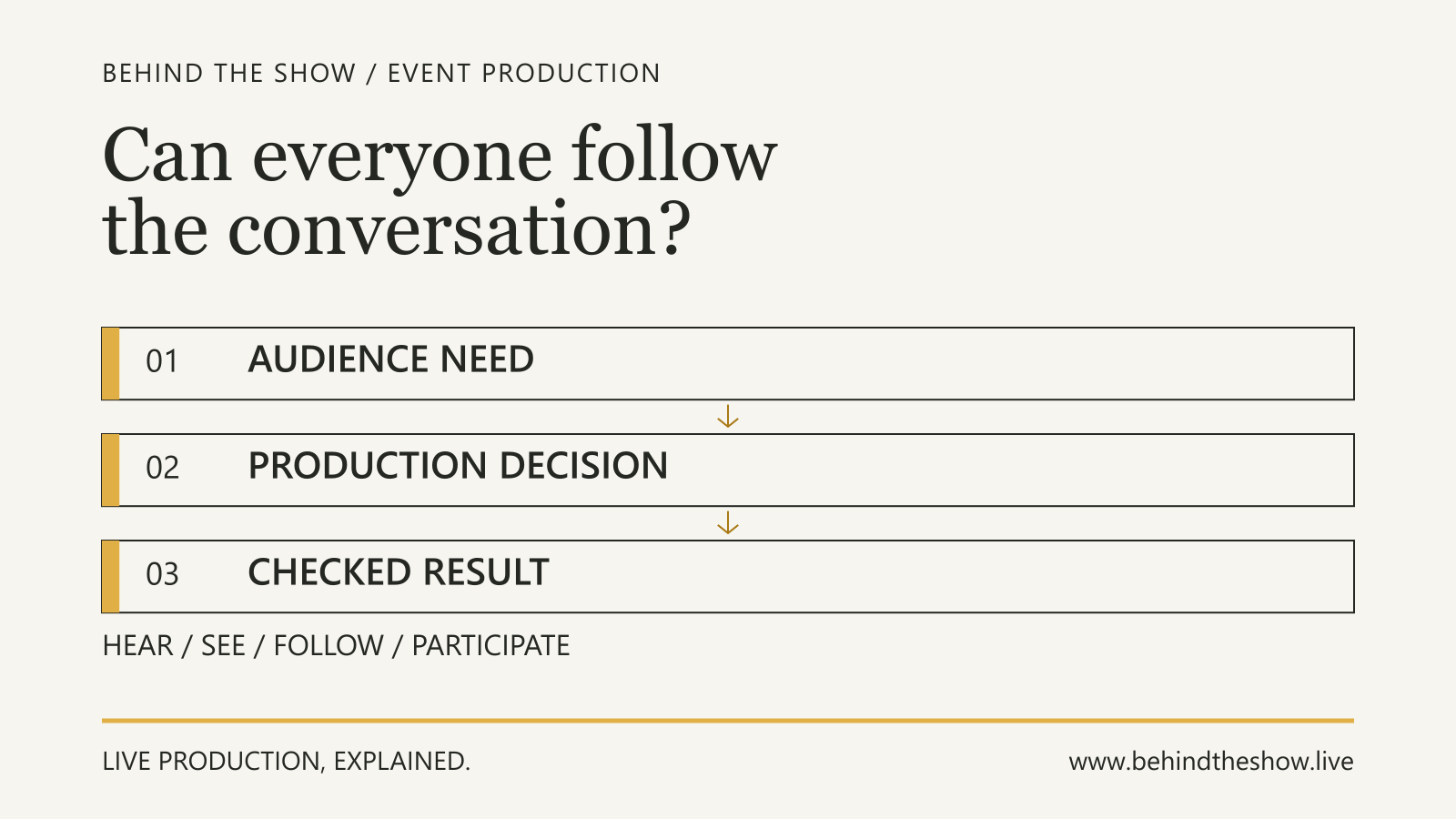
Review the route from public transport, parking or drop-off to the entrance, registration point, event rooms, facilities and departure. Consider desk height, queuing space, seating, lighting, signage, hearing or communication support, quiet waiting options and the needs of attendees, assistants and service animals.
Keep registration furniture, barriers and cables away from the continuous accessible route. Obtain appropriate local advice for legal and technical requirements rather than treating this guide as compliance confirmation.
Connect Registration to Event Entry
Check-in is not the end of the journey.
Confirm who receives attendees after the desk and what information that team needs. A badge may identify access, but it does not explain a room change, delayed opening or revised session location.
Agree how registration connects to:
- room and seating teams;
- speaker, VIP or artist reception;
- cloakroom, hospitality or accommodation desks;
- accessibility support;
- security and credential control;
- programme information;
- late-arrival handling;
- emergency and venue communication.
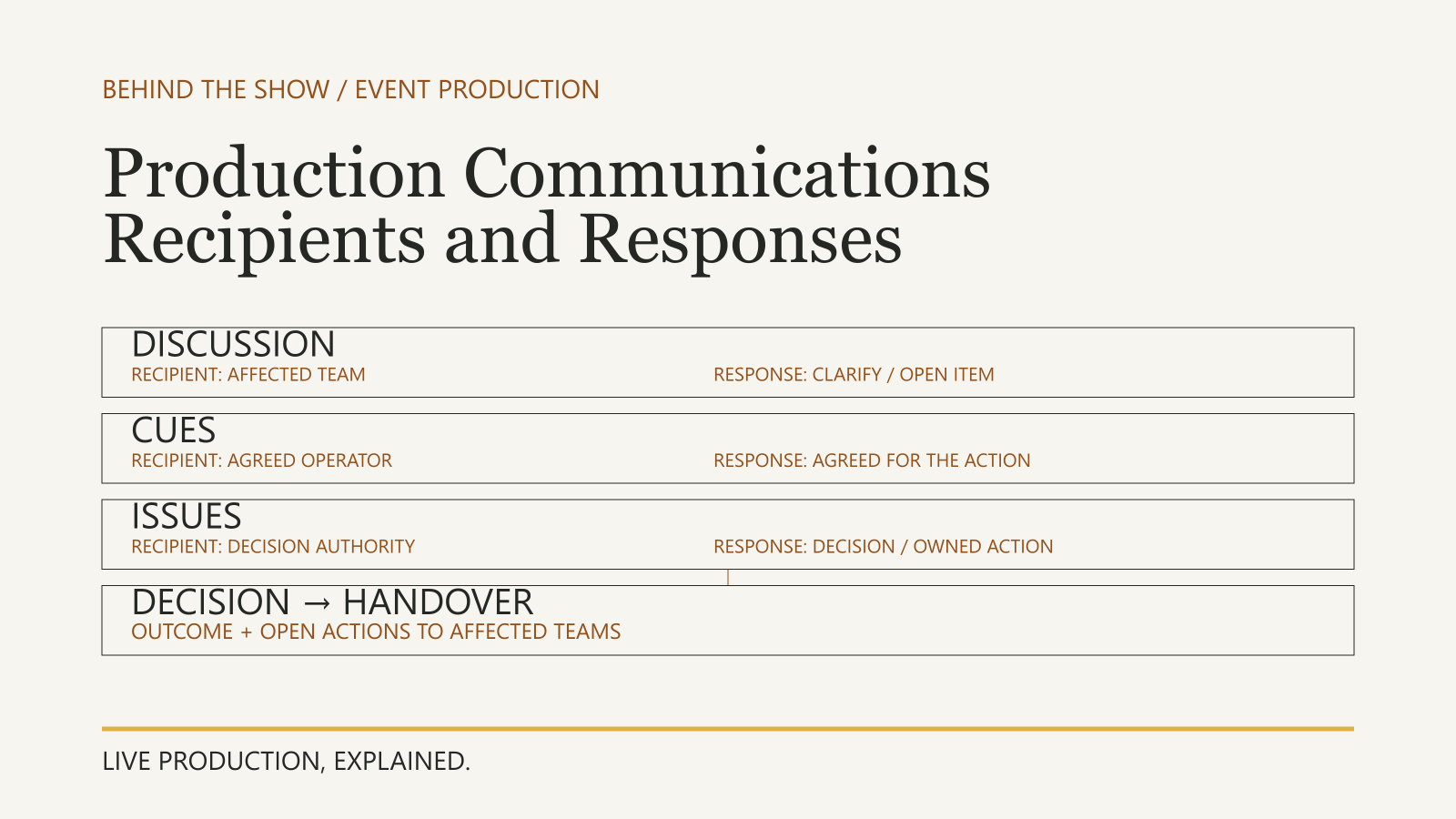
Use the current Production Communications guide to keep working questions, instructions and escalations distinct.
Assign Responsibilities and Authority
Record who:
- owns the registration record;
- approves admission rules and exceptions;
- prepares attendee communication;
- supplies and checks the registration system;
- supplies desks, badges, printers, scanners or connectivity;
- manages the physical queue and event entrance;
- receives access requests privately;
- handles payment or refund questions;
- confirms readiness to open registration;
- can pause, redirect or close an arrival route;
- records unresolved incidents and handover actions.
The Event Manager can coordinate these interfaces without automatically holding legal, privacy, security, financial or venue authority.
Prepare the Current Working Record
Before opening, give the team one current operating record. It may include:
- expected attendees and approved walk-in policy;
- badge or credential categories;
- opening and peak-arrival periods;
- entrance and queue arrangement;
- equipment and connectivity status;
- exception and escalation contacts;
- accessibility support route;
- handover points after check-in;
- current programme or room changes;
- privacy and record-handling instructions;
- unresolved conditions.
Avoid distributing more personal information than each role requires. Identify the version and remove obsolete printed lists from use.
Check the Arrangement Before Opening
Use a realistic test, not only a system login.
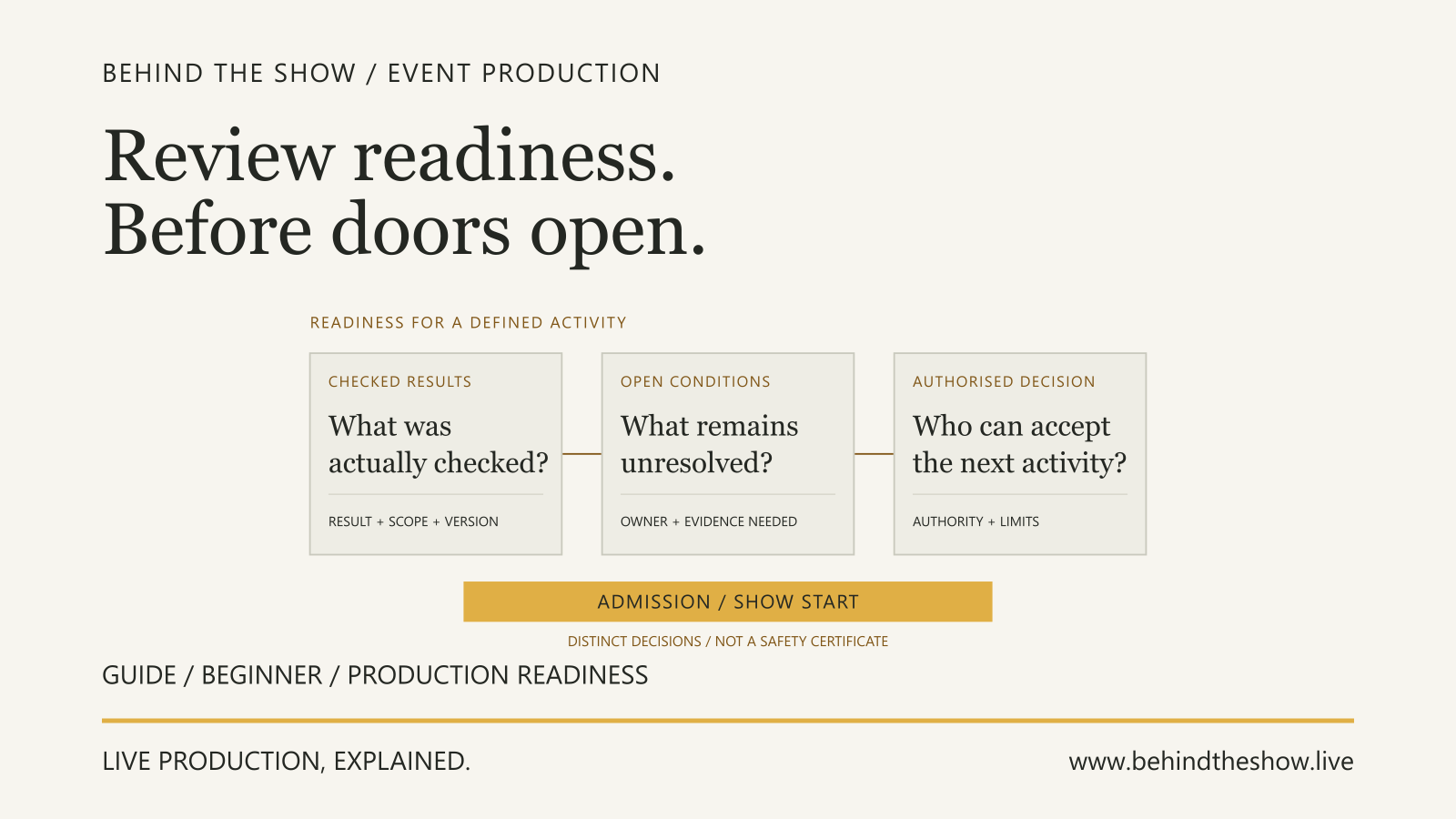
Walk an ordinary attendee and an exception through the complete route. Check the entrance, signs, accessible path, desk positions, lookup, badge or credential issue, payment process where relevant, exception escalation and handover into the event.
Record what was checked, what remains unresolved and who can accept the opening decision. Registration readiness does not certify wider venue, security, crowd or emergency readiness.
Worked Example: A Conference Arrival Plan Is Rebuilt Around the Peak
A professional forum expects 360 attendees. Registration opens at 08:00 and the first session begins at 09:00. The initial plan places two check-in desks inside the foyer, uses on-demand badge printing and directs all questions to the same queue.
The attendee record shows that 220 people are travelling on organised transport expected between 08:15 and 08:35. Twelve attendees have requested step-free arrival information, four need a seated waiting option and several sponsor representatives require a separate credential confirmation.
First review
The two-desk plan was based on total attendance, not the likely arrival pattern. It also mixed ordinary check-in, sponsor exceptions and access conversations in one public queue. The proposed barriers narrowed the route from the accessible entrance.
The team does not invent a universal processing rate. It runs a timed rehearsal with the actual registration process and asks the venue and responsible crowd team to review the physical arrangement.
Revised arrangement
Changed condition
At 08:20, one coach arrives earlier than its latest estimate while the badge printer serving exceptions stops responding. The ordinary check-in route remains available. The registration lead sends only affected attendees to the exception position and informs the arrival coordinator of the temporary condition.
The authorised registration owner decides that confirmed attendees may enter using the agreed temporary credential process. The supplier continues recovery work and records which badges still require replacement. The registration team does not quietly waive sponsor or payment conditions it has no authority to change.
Explained decision
The plan succeeds because it separates five things that the original desk layout had combined:
- expected arrival demand;
- ordinary confirmation;
- exceptions needing authority;
- accessibility support;
- the handover from registration into the event.
The event still depends on venue, crowd, security, privacy and emergency arrangements managed by their responsible people. The registration plan makes those interfaces visible instead of claiming to approve them.
ILLUSTRATIVE SCENARIO
What Makes an Arrival Plan Useful?
A useful plan:
- starts with the event and attendee requirement;
- collects only justified information;
- communicates the actual arrival route;
- considers when people will arrive, not only how many registered;
- protects accessible paths and private conversations;
- separates ordinary check-in from exceptions;
- names decision and escalation authority;
- connects registration to the next event destination;
- tests the real working arrangement;
- records unresolved conditions without disguising them as readiness.
Related questions
How do you plan event registration?
Define what registration must achieve, collect only necessary information, communicate the arrival route, estimate when attendees will arrive, design ordinary and exception flows, assign authority, test the arrangement and connect check-in to the next event destination.
What information should an event registration form collect?
Collect only information needed for a stated event purpose, such as admission, communication, payment, credentials or agreed support. Explain why it is collected, protect it appropriately and follow the applicable privacy and retention requirements.
How early should event registration open?
Set the opening time from the expected arrival pattern, checks required, venue access, staffing and programme start. There is no universal interval. Test the actual process and preserve time for exceptions without promising that every attendee will arrive as forecast.
How do you reduce queues at event registration?
Understand peak arrival demand, communicate the correct entrance, remove unnecessary checks, prepare current records, separate ordinary check-in from exceptions and monitor the physical queue. Any crowd-control arrangement must remain with the venue and responsible competent people.
How should walk-in attendees be handled?
Use the event's approved walk-in policy and a named decision route. Registration staff should not invent admission, payment, capacity or credential rules at the desk.
How should accessibility be considered in event registration?
Provide usable registration routes, let attendees communicate required support, protect private information and review the complete journey from transport or drop-off through check-in to the event. Obtain appropriate local accessibility advice.
Who can approve an event registration exception?
The event should name the person authorised for each relevant exception, such as admission, payment, credentials or access arrangements. The registration team can coordinate the case without automatically holding approval authority.
What should be checked before event registration opens?
Check the entrance, signs, accessible route, desk and queue arrangement, attendee lookup, credentials, connectivity, exception process, escalation contacts, privacy handling and handover into the event. Record unresolved conditions and the person authorised to accept the opening decision.
Sources & references
- Forms TutorialW3C Web Accessibility Initiative / primary document
- Put crowd controls in placeUK Health and Safety Executive / primary document
- Assess crowd safety risks and identify hazardsUK Health and Safety Executive / primary document
- Accessibility when planning an eventNSW Government / primary document
- Data protection basicsEuropean Data Protection Board / primary document
Continue learning