10 min read
GUIDE / Event Production
How to Prepare a Presenter for an Event Rehearsal
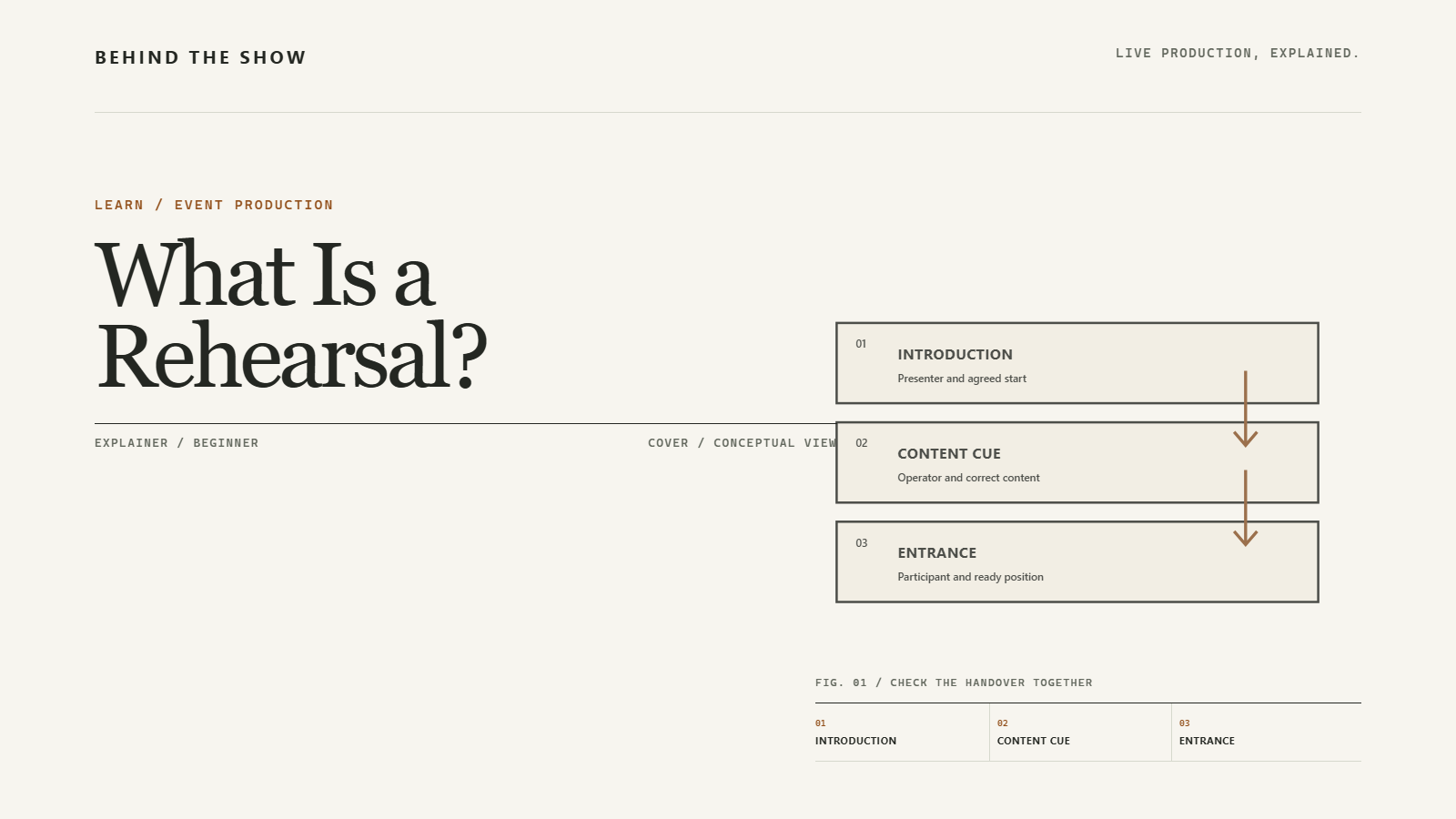
Prepare a presenter by agreeing what the rehearsal will cover, when and where they should report, which approved content will be used and what they need to do during the programme. Confirm microphone arrangements, presenter-view requirements, slide and video control, introductions, movements and handovers with the responsible teams. Practise the relevant sequence together, then record decisions, affected rechecks and anything still unresolved. The presenter confirms their needs and delivery; technical teams and authorised programme leads retain their own responsibilities.
On this page
Rehearse the handovers around the talk, not only the words inside it.
Prepare the handovers around the talk
A presenter can know the talk thoroughly and still arrive unsure of the entrance, which button advances the slides or who starts the film.
Those are production questions. Prepare them before the presenter is standing on stage waiting for an answer.
The purpose of rehearsal should be clear: practising the talk, checking selected transitions or trying the complete segment with the relevant people and production elements. A presenter practising at home does useful work, but it does not check the event's operating arrangement.
Prepare what the presenter must do, what they need to receive and who gives the next instruction.
Send a usable presenter brief
Tell the presenter the rehearsal date, reporting time, location or joining instructions, contact and expected session purpose. Distinguish when they should report from when they are due on stage. Include fitting, preparation or waiting time where agreed; do not assume the slot printed beside their talk is their arrival time.
Explain their part in the current programme:
- Who introduces them, and how should their name and title be pronounced?
- What is their allocated segment, including any questions or demonstration?
- Where do they wait, enter, present and leave?
- Which content do they supply, and by what agreed deadline?
- Which relevant people will be present, and who leads this rehearsal?
Ask about access, communication and other participation requirements early enough for the responsible team to arrange support. Do not ask the presenter to approve a route or stage arrangement outside their competence.
An organiser may collect the information, a speaker coordinator may brief the presenter and stage management may coordinate their movements. Those are agreed functions, not compulsory separate job titles.
Hand over the content before trying the sequence
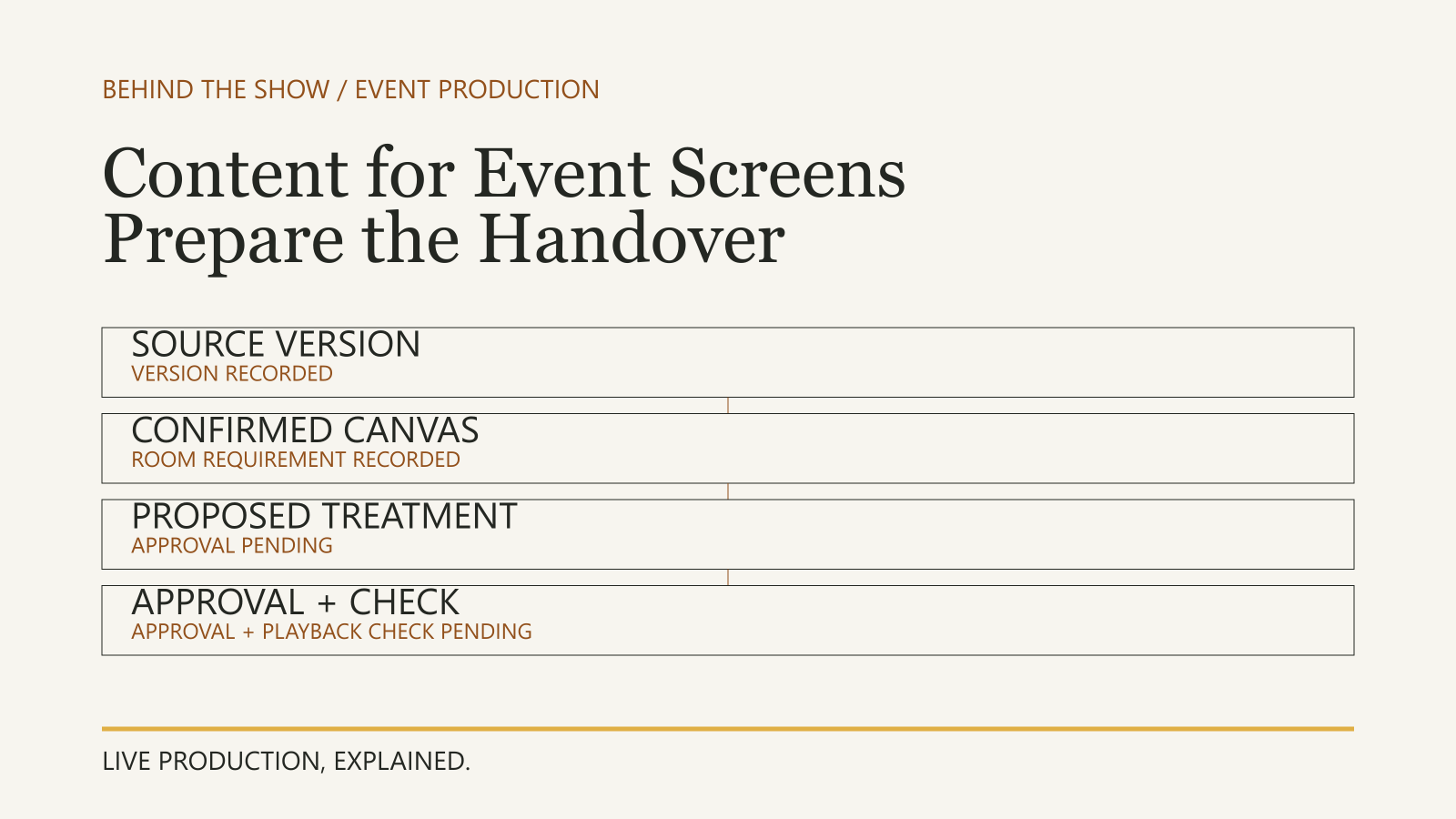
Send the current presentation and any separate video, audio or supporting material through the agreed delivery route. Identify its version, content owner and approval state. Explain what should happen at the important points: a slide change, animation, film, demonstration or handover to questions.
Confirm who advances slides and who starts and stops other playback. A presentation remote in the presenter's hand does not establish that it controls a separate film. Equally, do not assume the operator will advance everything because they have received the files.
Use the content-handover guide for delivery specifications, preparation and version control. The presenter supplies the intended meaning and sequence; the appropriate technical people determine the playback arrangement and checks. Providing a personal laptop or requesting particular software does not by itself settle how the show will use it.
Try the microphone with the people responsible for it
Ask the audio team which microphone arrangement is planned and how the presenter should use it. Explain any planned walking, sitting, demonstrations or use of both hands. If a microphone will be worn, discuss fitting and relevant clothing or accessory concerns with the assigned technician rather than improvising placement.
Shure's guidance for presenters explains that position, movement and clothing noise can affect microphone pickup. Use the rehearsal opportunity to speak and move as intended while the responsible audio team checks the result. There is no universal microphone position or distance prescribed here.
Confirm how the microphone is handed over and who handles its live or muted state. Do not tell every presenter to operate its power switch: that action must follow the arrangement agreed with the audio team. A microphone being audible at one position does not check every later movement or programme handover.
Ask what the presenter needs to see
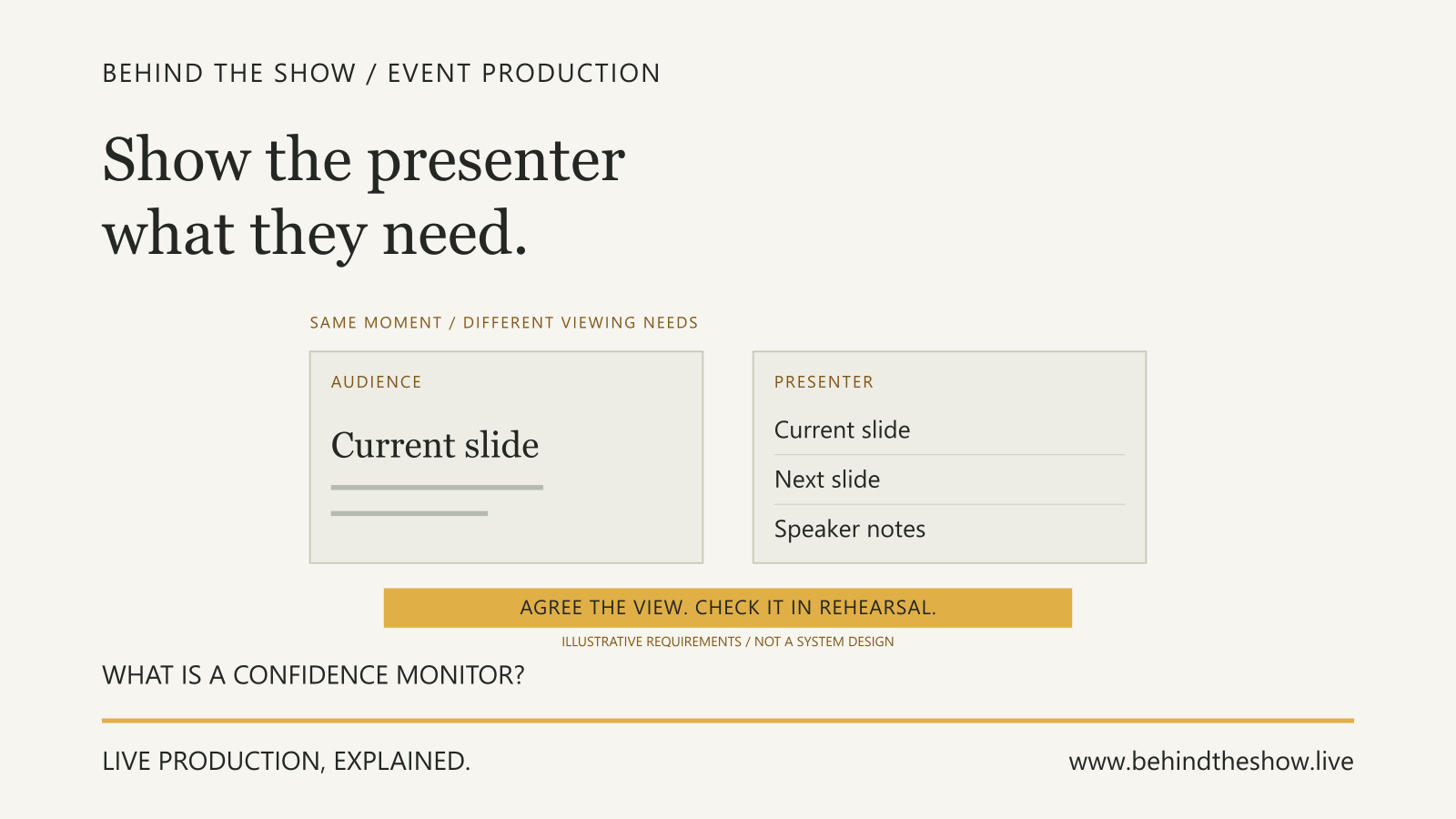
Describe the requirement, not just the equipment name. Does the presenter need the current slide, next slide, notes, a timer or a particular speaking prompt? A presenter or confidence display is a display intended to help the person speaking; its actual content and capabilities must be agreed.
Ask the video or playback contact what is available, and try it from the agreed position. Can the presenter read the material while delivering the talk? What should remain visible when the audience picture changes to a film or camera?
Do not assume that notes visible on the presenter's laptop appear on a stage display, or that private material stays out of audience outputs without checking. Technical Direction explains how the relevant specialists coordinate such interfaces. The presenter identifies what they need; a request does not establish feasibility, included supply or spending approval.
Practise the entrance and the transitions
Use the current run of show to connect the segment to what comes before and after it. Try the introduction, release to enter, first words, content transitions, questions and exit as relevant to the rehearsal's purpose.
Agree who gives each instruction and how the presenter recognises it. A presenter saying they are ready is information for the team, not automatically the cue to begin. Stage management may coordinate the presenter and stage conditions, while the caller and operators perform their agreed functions. A different event may combine those responsibilities.
Ask what the presenter should do if playback does not begin, they lose their place or someone asks them to wait. Agree a usable instruction and contact rather than asking them to diagnose a technical fault. Programme changes and any recovery response still need the designated authority.
Include accessibility in the preparation
W3C's event-accessibility guidance recommends sharing material with interpreters and captioners in advance, describing relevant visual information and using microphones effectively. Rehearse any agreed contribution from the presenter, such as explaining a chart rather than relying on pointing alone.
The organiser and relevant service providers still need to arrange and check the agreed support. Presenter participation in rehearsal does not establish that the entire event is accessible or that all audience requirements have been met.
Worked example: the presenter expects to start the film
A fictional conference has a ten-minute product presentation followed by questions. The presenter supplies an approved deck, product-v3, and a separate approved film, demo-v2. The planned arrangement uses an operator for the film and a presentation remote for the slides.
The presenter has practised the talk alone and assumes the remote will start the film too. They also want a short speaking prompt available while the audience watches it. That prompt requirement was not included in the initial brief.
For this example, a speaker coordinator prepares the presenter, stage management coordinates the entrance and position, the audio and playback teams own their checks, and a caller gives the agreed operating cues. The organiser has named a programme approver. These functions are assigned for the example; they do not prescribe staffing for every event. Remote participation, recording and streaming are outside its scope.
| Requirement | First rehearsal observation | Decision and owner | Evidence still needed |
|---|---|---|---|
| Presenter enters after the agreed introduction. | The presenter knows where to wait but begins walking before the agreed release. | Stage management and the caller clarify how the presenter receives the entrance instruction. | Repeat the introduction and entrance with the presenter following that instruction. |
| Speech is checked in the intended delivery position. | The audio team has checked the opening speech at the reviewed position. | Audio team records that limited result; the presenter keeps to the agreed arrangement. | Do not extend this observation to a different microphone or untried position. |
| Film starts at the agreed point. | The presenter presses the slide remote and waits; the film operator is waiting for the caller. | Presenter, caller and playback operator agree that the presenter finishes the lead-in sentence and waits for the operator's cued playback. | Rehearse the agreed lead-in, operating cue and film start together. |
| Presenter retains the speaking prompt during the film. | No prompt provision has been agreed. | Presenter supplies the short text. In this example, they propose an approved cue card that stage management confirms can be used at the reviewed position; the programme approver accepts the wording. | Presenter tries the card during the film transition. The proposal is not treated as successful before that attempt. |
| Presenter resumes after the film and hands over to questions. | The first attempt stops at the failed film start. | Caller, playback operator, presenter and moderator agree the restart point and handover. | Try the film ending, presenter's next line and introduction of questions together. |
Work the sequence through again
The presenter repeats the introduction and waits for the agreed entrance instruction. At the film lead-in, they finish the agreed sentence instead of trying to start the separate playback with the slide remote. The caller gives the agreed cue and the operator starts demo-v2.
The presenter uses the cue card at the reviewed position, confirms that it provides the required prompt and then delivers the next line when the film ends. The moderator takes the agreed handover into questions. The relevant teams record those observed results for that attempt, the people involved and the stated content versions. The earlier audio observation remains limited to the microphone and position it checked.
The practical correction was an understood handover, not automatically a new piece of equipment. The cue card is one accepted response in this fictional situation, not a substitute for every presenter-display requirement. A different need would require its own review.
Keep a late replacement separate
Afterwards, the presenter sends product-v4 with an additional slide before the film and asks to speak from another position. Those changes have not been approved or checked. The coordinator identifies the affected content, lead-in and position as open; the relevant content, programme, stage and technical contacts must review them before distributing revised instructions.
The passed attempt with product-v3 is not recorded as a passed attempt with product-v4. Whether the event retains the accepted arrangement or adopts a checked revision is an agreed decision, not something the coordinator, presenter or playback operator assumes alone.
ILLUSTRATIVE SCENARIO
If the presenter is remote or cannot attend
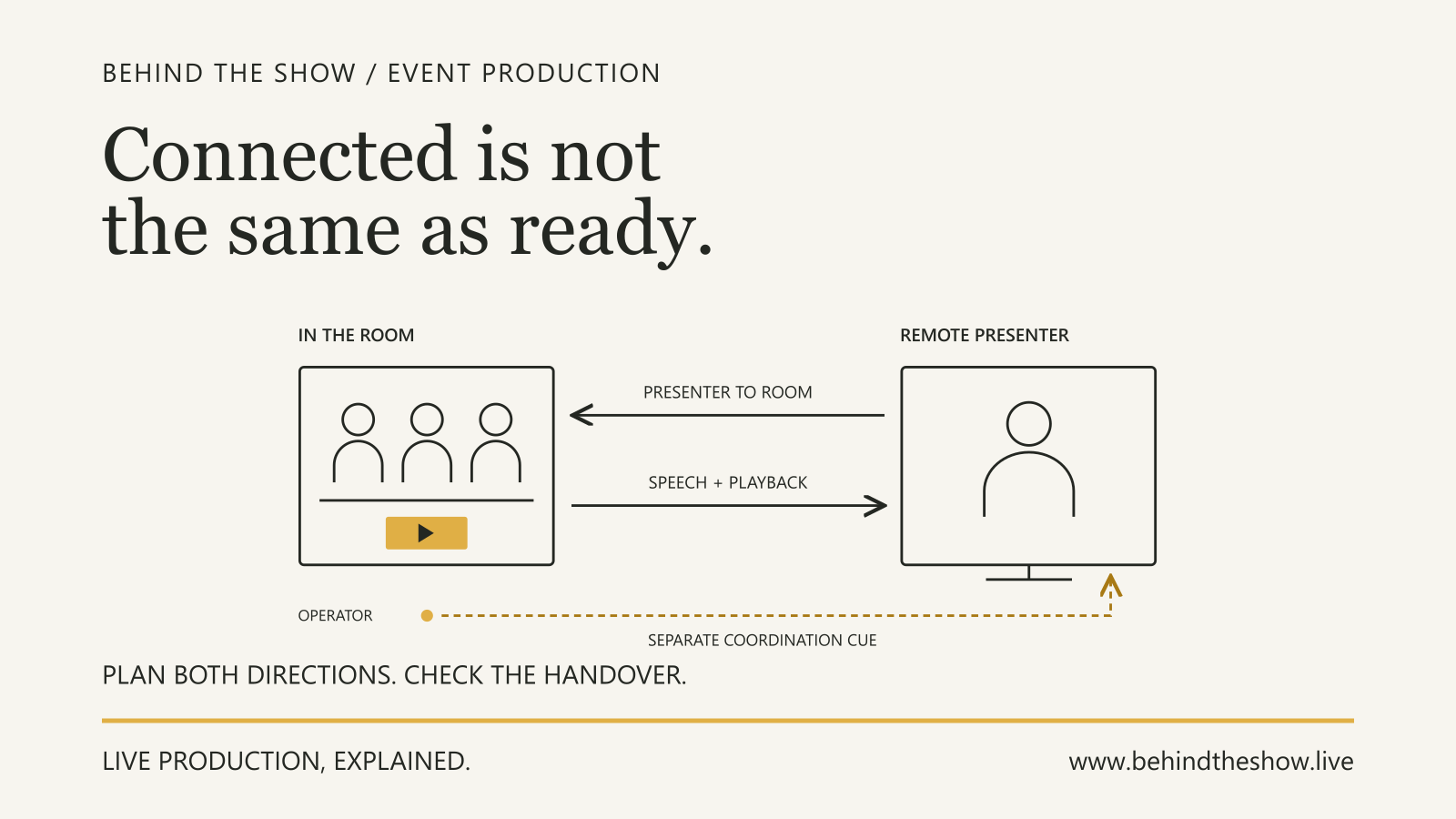
For a remote contribution, prepare the real participant's role, location, device, joining arrangement and required exchanges. Use the Remote Presenter Participation guide to agree what each side hears and sees, private coordination, testing and programme recovery decisions. A device test or a stand-in in the room does not check the actual remote participant's exchange.
If a presenter cannot attend the planned rehearsal, tell the coordinating lead promptly. A stand-in can help with selected timing, content or cue checks, but cannot confirm the actual presenter's microphone use, reading needs, movement or understanding of the instructions. Identify what remains unchecked and arrange the appropriate follow-up. The authorised lead decides any programme consequence with the affected people; absence is not automatic permission to shorten checks or declare the segment ready.
Leave with the same current plan
Before the session ends, confirm the current content versions, agreed entrance and position, slide and film control, prompt arrangement, timing and handover. Name the person receiving each remaining action and the point at which a decision is needed.
The presenter confirms their own understanding and reports anything they could not use or follow. Operators report the checks within their scope. The programme owner approves relevant programme changes, and the coordinator distributes the agreed state to the people delivering it. No one person's acknowledgement substitutes for all of those confirmations.
A useful rehearsal leaves the presenter better prepared and the remaining questions easier to act on.
Related questions
How should a presenter prepare for an event rehearsal?
Confirm the session's purpose, reporting arrangements, current content, microphone and presenter-view needs, slide and film control, entrances and handovers. Practise the relevant sequence with the responsible people, then record decisions and unresolved actions.
What should a presenter send before rehearsal?
Send the current presentation and supporting media through the agreed route, with versions, content ownership and approval state. Explain intended playback points, presenter-view needs, timing and relevant participation requirements so the responsible teams can prepare.
Who advances slides and starts videos during a presentation?
Agree the responsibility for each action. A presenter may advance slides while an operator starts separate playback on an agreed cue. Receiving the files or holding a presentation remote does not establish who controls every action.
What should a presenter check on a confidence display?
Confirm the content they need to see, such as slides, notes or a prompt, and try it from the agreed position during relevant transitions. Technical teams determine and check the arrangement; requesting a display does not establish its capabilities or included supply.
What if a presenter cannot attend the event rehearsal?
Notify the coordinating lead, identify what a stand-in or selected checks can cover, and keep participant-specific checks open. Agree follow-up and any programme consequence with the responsible people rather than marking the actual presenter ready by assumption.
What should be ready before an event rehearsal?
Prepare the current programme, relevant content, usable systems, stage access and necessary participants. Agree the session's purpose, leadership, cue communication and responsibility for recording changes.
What should happen after changes are made in rehearsal?
Record and share the decisions, update affected working documents and content, and repeat relevant checks where needed and practicable. Keep unresolved actions visible with an owner.
What should be tested before a remote presenter goes live?
Check the intended joining role, device and location, required audio and video in both directions, content playback, questions, private coordination and the handover into and out of the programme. Record what the actual participant confirmed and what remains untested.
Sources & references
- A Basic Guide to Mics and Mic Techniques for PresentersShure / manufacturer / 23 Apr 2021
- Making Events Accessible: Checklist for meetings, conferences, training, and presentations that are remote/virtual, in-person, or hybridWorld Wide Web Consortium, Web Accessibility Initiative / primary document
Continue learning